PNG images ko compress karein — browser mein hi, koi upload nahi, koi account nahi.
Drag & Drop PNG images here
ya neeche button se files choose karein
PNG (Portable Network Graphics) is one of the most popular image formats that uses lossless data compression, where the original quality of the image is maintained, and provides file compression. However, large PNG files greatly increase the loading time of a web page and provide a poor user experience.
PNG bulk compression is a term that means compressing a large number of PNG images at once. Our tool never compresses individual images, but allows you to upload and compress a large number of PNG images at once. This takes up less space without reducing the quality of your images, making your site load faster and improving performance.
PNG bulk compression has many benefits:

Compressing large PNG images has never been easier. Reducing PNG size is now within our reach and extremely easy. Check out the guide below to compress it in a simple step-by-step process:

Press the "Upload" button and enter the PNG files that you wish to compress. Upload files at the same time, or simply drag and drop for file upload.
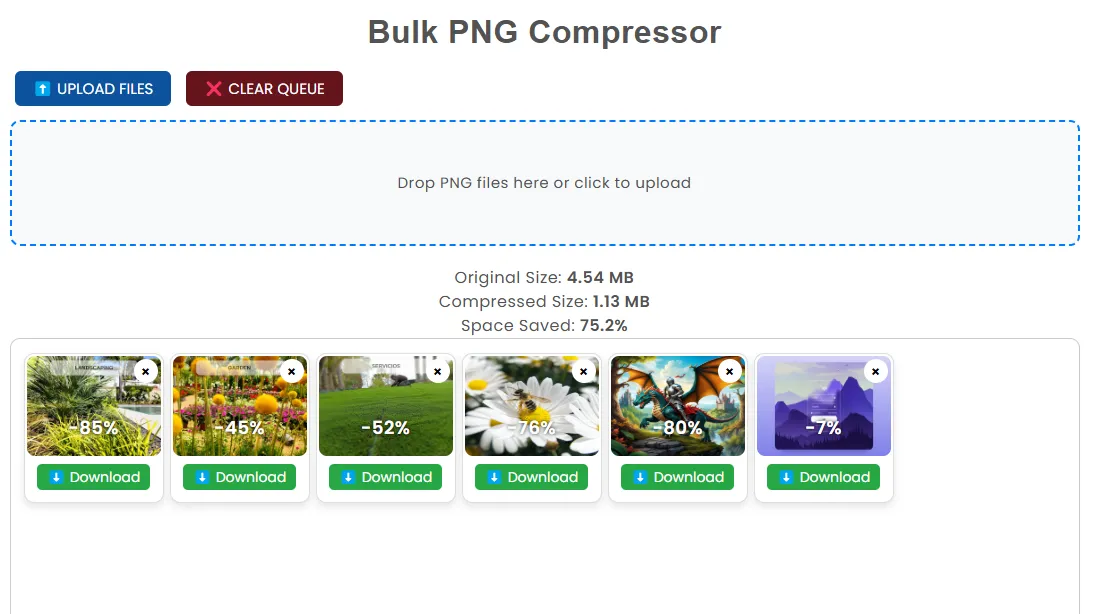
When you have uploaded your images and settings, click "Recompress". Your files will be compressed in batches by the tool.
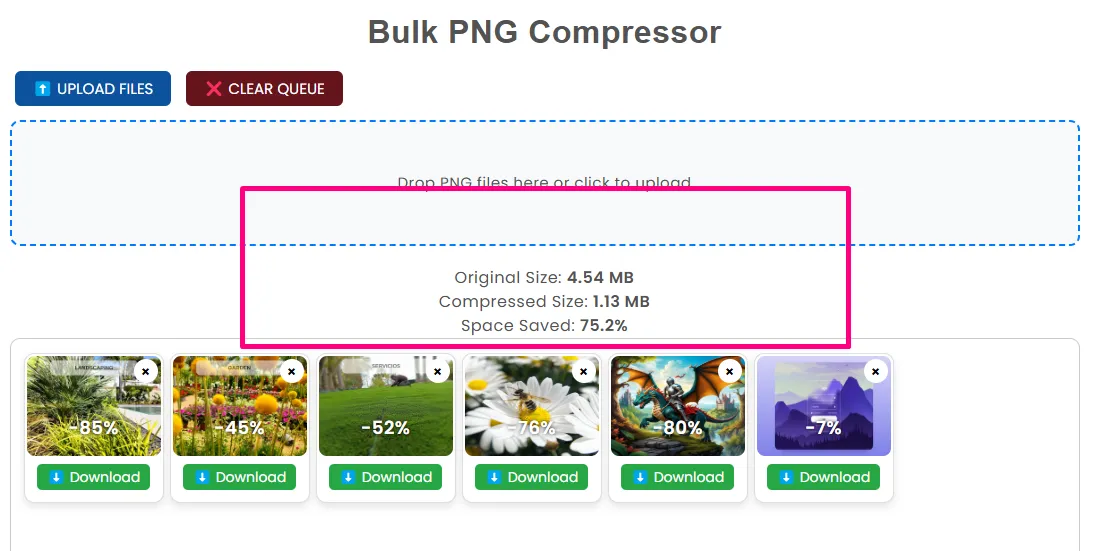
Your images now compressed, you can now upload to your site or incorporate them into your design process. Enjoy speedy load times and improved overall performance.
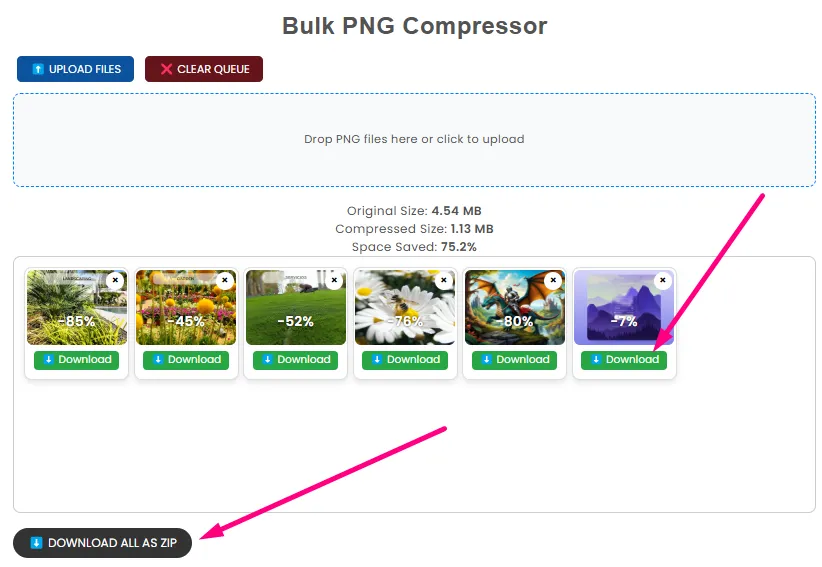
Once compressed, save the compressed PNG images into a zip or individually, based on preference.
Of course, there are other PNG image size reduction tools available, but our PNG bulk compressor stands out in a few ways:
The PNG Bulk Compressor tool is free. If you are compressing a few images or compressing them all at once, it is free. Speed also matters; this tool compresses your images in just a few seconds, and you can resume your work.
When you compress your PNG images, sometimes data is lost. But our tool features lossless compression, so there will be no compromise on the details and clarity of the image. You cannot compromise on the quality of the image for faster loading.
One of the biggest problems of image compression is the loss of quality. Don't worry, our PNG bulk compressor doesn't let you compromise on this. We compress your images with advanced compression algorithms that reduce the file size without losing your image quality. You get smaller file sizes without compromising on clarity.
Our PNG bulk compressor has some great features that make it unique:
Ready to compress images? Reduce file sizes and increase website speed today with our PNG bulk compressor. Fast, free, and easy. Click the button below to upload your images and start compressing!
We would love to hear your feedback. Your review will help us continue improving.
Please Review UsYour honest feedback helps us grow and improve our tools
Of course, PNG can be compressed without a loss of quality. PNG has lossless compression, which means that images not only become smaller in size, but also with every detail intact. Optimized for fast loading, the images still look quite attractive.
Compressing a PNG image does not reduce the quality of the image, so it is lossless. This means that even though the image appears the same, it is much smaller because unnecessary data has been removed. This is one of the most defining aspects of PNG.
The actual possible amount of compression on PNG files depends mainly on how detailed the image is. Simple, two-tone images, or even images with flat surfaces, can be compressed by 50 to 70%. On the other hand, images that contain a lot of details are compressed much less. Most PNGs are usually compressed by 30-60%.
PNG photo compress is a lossless compression that identifies and removes certain repeated or redundant data present in an image file. Filtering and deflate compression are some of the techniques used to reduce the size of a PNG file. This similarity allows for the compaction of the file while retaining all the details of the image and thus reducing the file size.
