A CSV viewer is a consumer tool that ensures the client autonomy, view, and, in any case, access to a CSV editor (Comma Separated Values) file. A CSV file viewer is a text-only information layout that maintains tabular statistics, such as a spreadsheet or database. These can be easily found using a spreadsheet program such as Microsoft Excel or Google Sheets, but a real digital CSV viewer will usually provide a simpler and more concise place to edit and analyze data immediately.
Typically, CSV file openers that can be opened on the computer are identified within the store for ease of use and compatibility with all parts of the software. These are often required to keep statistics updated on contact lists, buyer data, financial transactions, and other structured types of information that need to be viewed and measured.
For anyone who works with a hidden CSV file in daily work, there are many clear advantages to using an internet CSV opener.
In terms of ease of use, it will be much more convenient for a large number of people to connect a CSV file viewer to the Excel spectator, compared to more advanced spreadsheet software. The interface of the CSV viewer is simple and easy to use, especially for those who perform calculations that require advanced functions such as Excel.
A CSV viewer typically allows users to edit facts, insert, delete, or otherwise modify rows and columns instantly, without any full access. It can also be very useful elsewhere for developers who are working on large data sets simultaneously.
The CSV viewer audience, in addition to being at a shorter distance from heavy spreadsheet operations and using much less capital, is fast and scalable.
You don't need any of the special software specifications above, or you need to install custom software designed to suit your needs, or modify a CSV reader design. Most CSV readers are web-based, so you can access them on almost any device without installing anything.
However, a CSV viewer can be a handy way to open and view a list of CSV files, provided the user doesn't have access to export from a function like Excel or Google Sheets.
Many functions simplify and improve the process of transferring to an active CSV reader with ease. There are a few main features you will usually see in a CSV viewer.
1. Free to use: CSV file viewer is completely free software to use. So, anyone, be it a student, a developer, or any other general user, can use it without paying for the software or otherwise, at no cost.
2. Unlimited use: There is no restriction on the number of files that can be uploaded and the total number of edits that can be made. The CSV visualizer initiative allows unlimited use, which means you can use it as many times as you want without reaching the limit.
3. Free: Users can view and edit their files without in-app purchases or any other expenses.
4. Live editing and viewing of CSV file: The best feature of the digital CSV editor is the live editing of the CSV file. As a developing change, this change is subject to change in real time, allowing you to immediately change facts, correct mistakes, or, as a last resort, adjust entries. After this practical experience, you will have an artistic advantage over a dormant file.
Finding and editing a CSV file is usually quite easy. Here is detailed information on how to use a widely available CSV file editor online.

First, import your CSV file into Structure. This is usually accomplished by dragging and dropping, or using the upload button at the top of your computer.

Once the CSV file is uploaded, the device displays a preview of it. The data that is within the preview is usually placed externally on the board layout so that the elements are easy to find. In addition to the statistics that accompany them, you will also be able to see a row and a column.
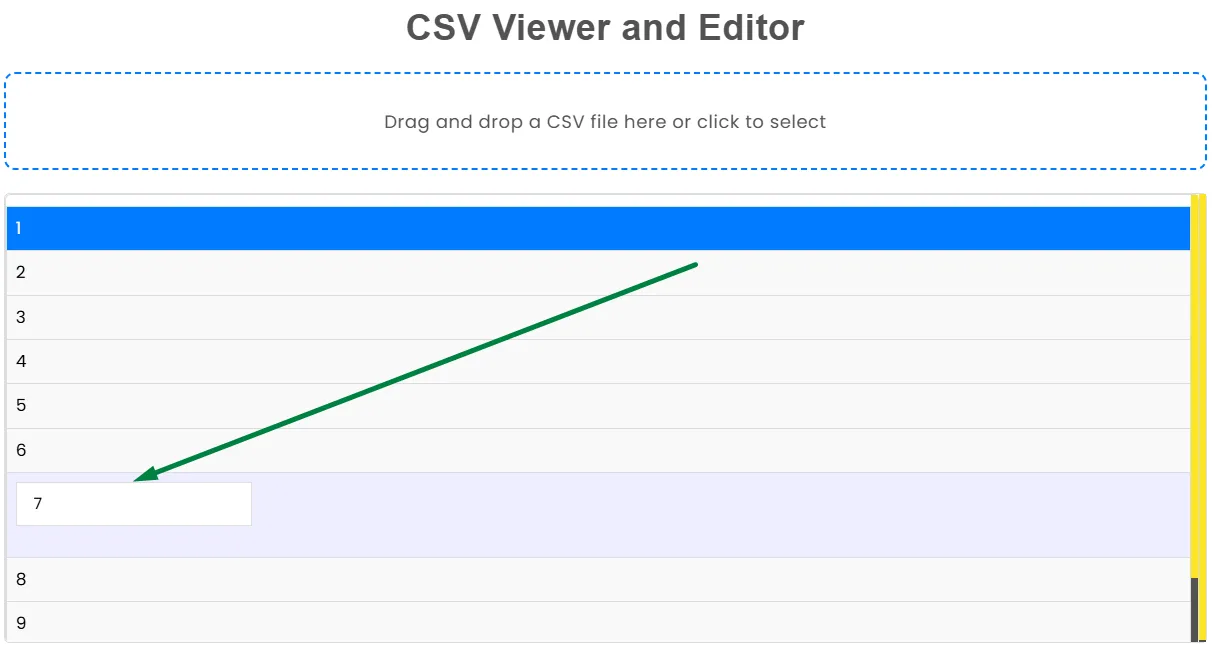
Suppose you need to edit some CSV files, most viewers will allow you to edit the text right in the preview window. You can add a new column, edit existing data, or delete an unwanted column or row.
Combined with auto-save, connect the CSV viewer audience. This utility, when saving, will also be understandable, reducing the need to click save to start all conversions.
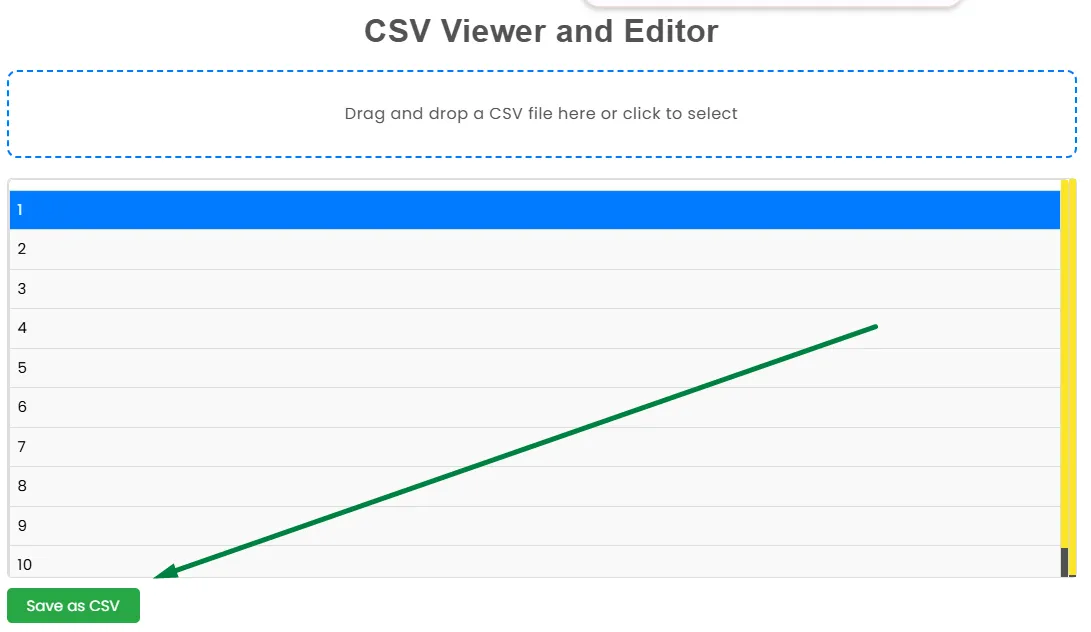
Click to save and download as CSV. Once your variation is created, you can simply click the CSV Export button to save your changes. This will download a separate CSV file that you can use right away.
CSV readers are very large and yet can be used by different users. To have some similar samples in an area, a CSV viewer can be used.
1 Students: In a computer science, statistics, or real analysis workshop, a student is usually given a task with a CSV file. However, quickly analyzing, editing, and graphing statistics on class work and assignments can still be useful. This would be perfect for those who only need to quickly transform data, and also for the cost of running an entire spreadsheet operation.
2 Developer: A developer usually also handles a CSV file in import and export details, in addition to datasets or databases. A system using a CSV viewer can simplify their process by allowing users to easily view and edit CSV files without having to write additional code or otherwise acquire heavy software.
3 Anyone Working with Data: Anyone who adds information to it, whether you are a businessman, trader, fact analyst, or anyone who deals with facts. You can work with and according to the CSV viewer. The ability to edit large datasets quickly must be maintained to complete them and ensure productivity without any interruption from other software.
CSV Viewer has many advantages that make it a highly valuable software initiative for anyone performing a series of CSV file extractions.
In general, CSV Viewer is a basic but capable application that anyone who uses CSV files in everyday tasks will be familiar with. It makes it easy to view, edit, and retrieve data without any cost and customer hassle during your stay.
We would love to hear your feedback. Your review will help us continue improving.
Please Review Us
Yes, CSV can be edited with software like Microsoft Excel, Google Sheets, Notepad, or any spreadsheet or text program. But if you want a faster and easier experience, you can upload your file to CodingIndiaLab's free CSV tool. There, you can view and edit your CSV data without installing any software.
A CSV viewer is an application or software used to open and view the contents of a CSV (Comma-Separated Values) file. The data is presented in a table format, so it is easy to read and analyze.
CSV files can be opened with text editors like Notepad and full-featured spreadsheet programs like Microsoft Excel, Google Sheets, LibreOffice, and dedicated CSV tools offered by CodingIndiaLab.
To change your default CSV viewer, right-click on any CSV file, select "Open with", choose your preferred program, and tick the option to always open CSV files in this app. This will make your preferred program your default CSV viewer.

Your Rating : Good!