Start editing...
If you are looking for the best free Word document editor on the web, then our online docx file editing tool is perfect for you. The docx online edit tool is a fast and unlimited tool that allows you to open, edit, and save .docx files in the browser. You don't need to install Microsoft Word or any other software. Just visit the website, upload your document, and start editing immediately.
This free online word editor tool lets you upload a .docx file, view its contents in a good text editor, use different file formats, and then restore the document to its original .docx form. This is very useful when Microsoft Expression is not an option, or for quick editing on the go.
It also features drag and drop as well as manual file input, contribution flexibility, and client usability. After uploading a record, you can use bold, italic, underline, font styles, colors, image interpolation, and hyperlinks. This tool is very similar to some of the basic features you would get from a normal record editor.
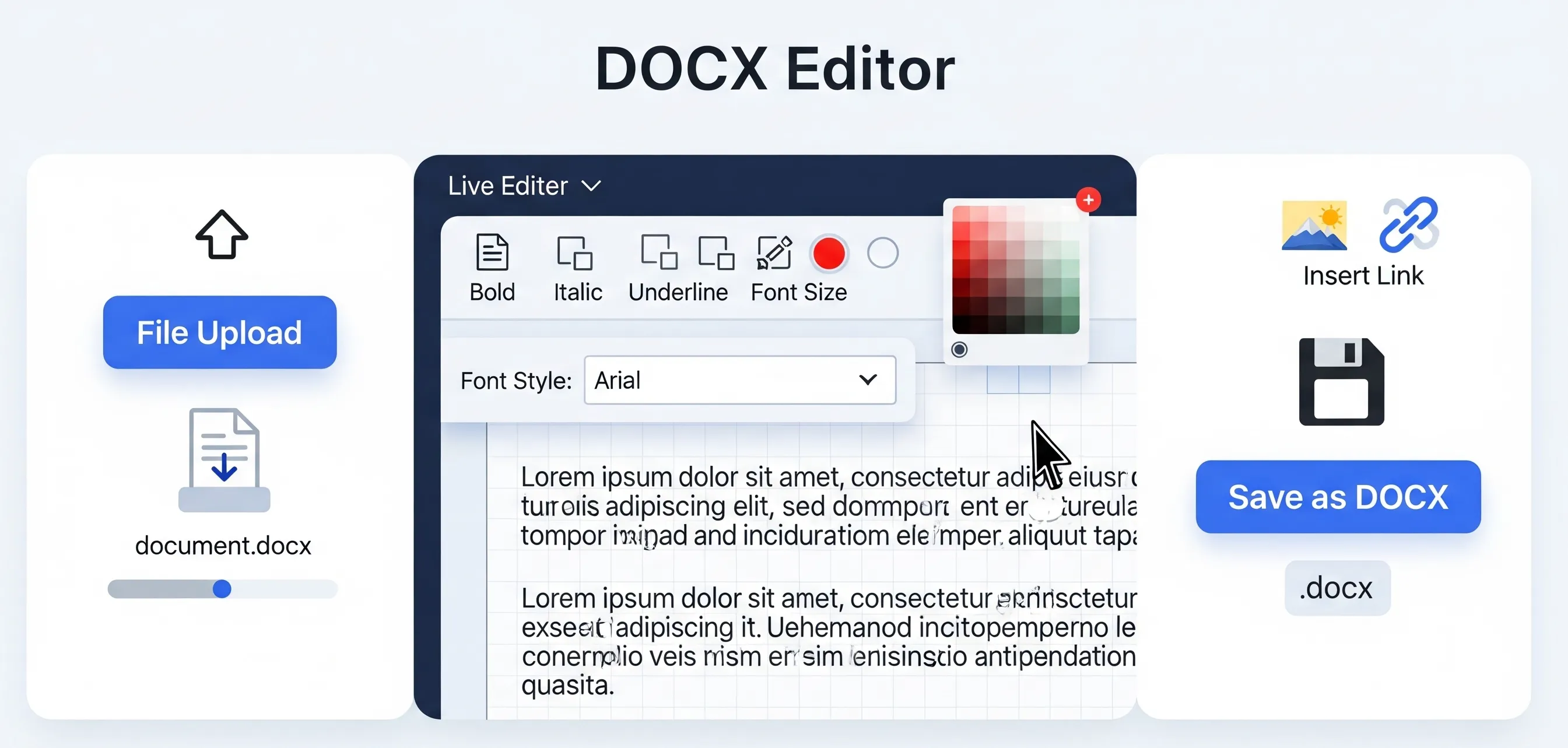
The user can drop or drag a .docx file to the dropzone. This starts the scanning process and converts the document content into editable HTML using the Mammoth.js library.
The smiling face of a modern text editor with a clean and minimal interface. The user can start editing the record immediately. Feature Covers.
You can customize your document as per your needs by choosing from the available drop-down lists of font types and split fonts. The latest version is very useful for sketches, business reports, and even research paper writing.
A modern color scheme enables users to change the color of text easily and quickly. Also, don't forget to use text for proper use of colors.
Photos can be inserted directly into the record from the user's device, which is a welcome addition for inserting son, infographics or report images. To enable external links, a link can be created.
After the next edit, the user can get the edited record in DOCX format. The countdown timer provides a dynamic touch, freezes the file and checks it is ready for download.
TThe design of the free online word editor tool should be clear, legible, and attractive. The container focuses on a light color scheme that ensures readability. The highlights are:
With a few easy clicks, you can edit a DOCX file online directly from your browser. The interface is designed to be easy but effective, providing you with a full range of formatting styles. After uploading your file, you can immediately start free editing of the docx free editor tool. You can add bold, italic, and underline styling, change fonts, set font sizes, add images, add hyperlinks, and create ordered and unordered lists.
The Edit MS Word Document Online platform is ideal for those who need to edit DOCX files online without any limitations. If you want to edit a docx file online, open and edit a Word document online, or open and edit a Word document online anywhere, this site provides all the help you need. You can also edit a Word document file online without considering file size and software compatibility.
Open Edit Word Document Online, the free DOCX editor, is different from most editors because it gives you unlimited access without any additional cost. You can edit your Word document as you wish and download it back to .docx format whenever you want. It's entirely web-based, so your files are never transmitted from your device, giving you maximum privacy and security. Try it today and enjoy the most trusted online DOCX file editor without any limitations.
The Edit Word Document Online Free application is easy to use, even without a Microsoft Office subscription.
We would love to hear your feedback. Your review will help us continue improving.
Please Review Us
Yes, provided that the file from the International Relations and Security Network is password-protected or damaged. However, a sophisticated format (see transplant table or equation) may not be the same as Microsoft Expression.
None. The free online tool for editing Word documents works entirely in the browser. Your file will never be deleted from your device, so you can keep your identity completely safe.
Yes, you can edit your DOCX file online for free on your smartphone.
Plain format (headings, paragraphs, bold, italics, lists, etc.). Continue. Highly technical terminology can be easy to miss or lost in translation.

Your Rating : Good!