We accept jpg, jpeg, png, webp and gif formats.
In this fast-growing digital age, extracting text from a picture has become a task that has to be done regularly and as frequently as possible in everyday tasks for students, researchers, and professionals. The Picture to Image to Text Image tool aims to extract text from pictures efficiently, without any hassle. This tool converts scanned documents, pictures of notes written on paper, and printed text into editable text in a user-friendly and reliable way.
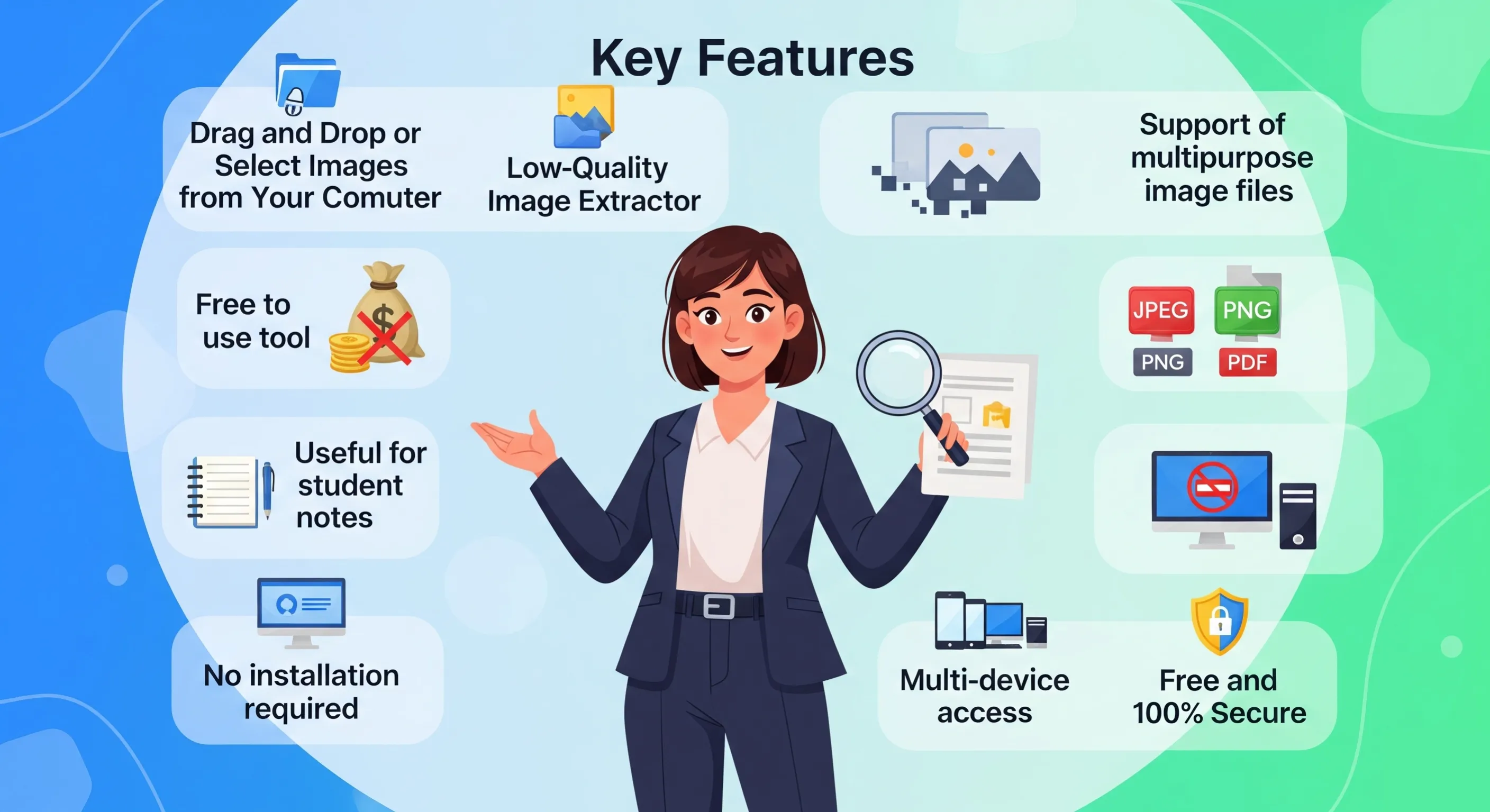
1. Drag and Drop or Select Images from Your Computer: This image-to-text converter tool is easy to use, where you can drag and drop the images to the location or select them directly from the PC. It makes the task of uploading images one by one easier by eliminating the need to manually upload the required images, making the conversion process fast and hassle-free, and converting multiple images in a limited time.
2. Low-Quality Image Extractor: The picture-to-text converter tool is optimized to work with images of any quality. Even if the resolution of the image is not that good or has some noise, the low-quality image extractor ensures that the tool can extract text very efficiently. It uses the latest optical character recognition (OCR) technology that can identify and recover text even in extremely blurry or pixelated images.
3. Free to use tool: One of the big highlights of Image to Text Converter is that it is free to use. There are no charges for it. Even premium versions are available. Whether you are a student extracting notes or a professional who needs quick text conversion, your needs are met in the most wonderful way without any charges.
4. Support of multipurpose image files: The picture-to-word converter tool supports a wide variety of images. This flexibility allows users to upload an image and easily convert it to any suitable format, be it JPG, PNG, JPEG, WEBP, GIF, etc. It becomes possible to scan text from an image without worrying about the type of file used.
5. Useful for student notes: Students often need to extract text from scanned study notes, photos of textbook pages, or handouts. A student may need to convert their physical study material into editable and searchable text, saving precious time that would otherwise be spent rewriting. With a text-to-image tool, this can be accomplished very quickly by digitizing handwritten or printed study material for further processing by students.
6. No installation required: This tool is also web-based, so you don’t need to download or install any software. You can access it directly from your web browser, making it easy and simple to access and use. In this sense, this tool will not take up any space on your device, and there will be no updates or compatibility issues.
7. Multi-device access: You can access it from multiple devices, whether you use a desktop computer, laptop, tablet, or smartphone. This tool is designed to be fully accessible from a wide range of devices. The mobile-friendly design allows you to upload images anywhere and easily convert them to text, making it accessible to everyone.
8. Free and 100% Secure: These online tools are free to use for privacy and security. This free text-from-image tool is not only free, but also takes security into account. The files are processed in a completely secure environment, and no user data or images are stored after conversion. This way, utmost care will be taken to keep your information private and secure at all times.
This extensive support for language makes the tool highly versatile, and one can use it to extract text from images containing different scripts, ranging from Roman to Devanagari, thereby meeting the requirements of users belonging to any region and any field of work.
1. Saves time and effort: Manually transcribing text from images is a time-consuming and tedious task, especially when there are thousands of images. The picture converter tool can automatically extract text and give results in a matter of seconds. This saves a lot of time, allowing users to use their skills and time on more important things.
2. Improves productivity: The productivity of professionals and even students increases tenfold if text is extracted from images quickly and accurately. This tool allows users to easily convert and edit text based on images through research, reports, assignments, or personal projects.
3. Suitable for research and study: Researchers, instructors, and students often use notes, scanned books, and articles in their studies. This tool helps them convert captured images into convertible digital text, making information easily searchable and easily saved to storage.
It helps in giving citations and references without typing long passages verbatim.
4. Improves accessibility: In the case of visually impaired people, it presents the available information by converting pictures into text. The isolated text can be read through screen readers or other technologies that help a person access the content easily and interactively.
5. Supports multilingual text conversion: With the support of multiple languages, users can now convert text from pictures in different languages without switching tools. This multilingual support makes this tool very useful for users coming from global regions or users working with international content.
6. Best for document digitization: It is a great tool for scanning your old documents and converting them into digital file formats. Instead of typing information on printed pages, you can scan documents and convert them into easily editable text files. This will be very useful for many organizations that are turning to digital document management.
7. Secure and Private: Possibly, you may want to consider not storing images along with text files in the name of security. This way, you will have a completely secure image-to-text conversion platform. Users can upload their photos with complete confidence, knowing that their data is private and secure.
The usage of the picture text copying tool is relatively very simple and straightforward. Check out the step-by-step guide below:

Step 1: Upload or drag and drop your image: You can drag and drop your image into the upload space or simply select it from your computer. The picture text copying tool accepts file types like JPG, PNG, JPEG, WEBP, and GIF.
Step 2: Wait for the tool to extract text: As soon as you upload an image, the image text copying tool processes it instantly with the help of advanced OCR technology. In a matter of seconds, it extracts the text from the uploaded image.
Step 3: Copy text from the image, or download the extracted text: After getting your text, you can copy it to your clipboard, edit it in the tool itself, or save the text file for later use.
Step 4: Apply the text as per your needs: You can now apply the extracted text to your project, be it a notation, a report, an assignment, or other document.
We would love to hear your feedback. Your review will help us continue improving.
Please Review Us
Yes, Use our tool, You can easily convert picture to text free.
No, you can convert one image at once.
Click the photo of notes, come to our free Extract text from images ocr converter tool and upload your photo, and convert the picture to text.
Yes, Use our tool, you can easy to convert an image to txt format online.

Your Rating : Good!