JPG Image Compressor Tool is a simple web application that reduces the size of JPG (JPEG) images. It works by reducing the amount of image information stored in the file and tries to make the image look more like the human eye.
JPG has become the most popular image format in the world. JPG images have high quality and a reasonable size, but some JPG images may still be too large for web use, email, or mailing devices. These photos are compressed to make them lighter, easier to load, and easier to control.
JPG compression plays an important role in combining personalized and efficient virtual work processes. Below are several important reasons for this:
Upload and download times are reduced, especially on slow internet connections.
Follow the steps below:
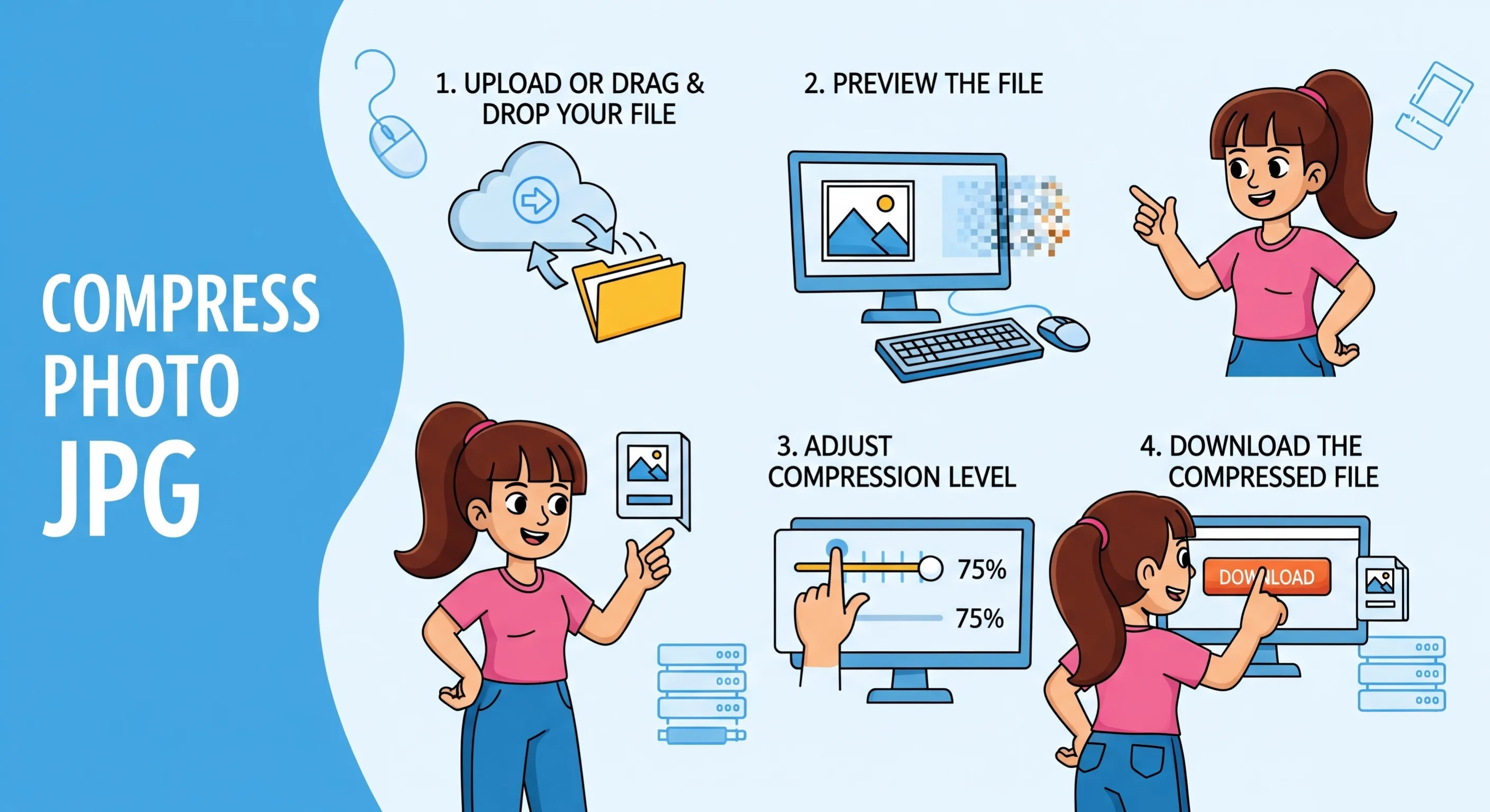
To choose a JPG file from your device, or simply drag & drop your photo into the JPEG file size reducer tool.
After uploading, the image will be open for your preview before it is completed. This ensures that you are using the correct file.
Choose the number of compression methods you want using the available folders or information. High compression reduces the size of the JPEG file, while low compression maintains high image quality.
After you are satisfied with the preview and size, click the Download button to save the compressed JPG file to your device.
Below are some important points:
You can use the JPG file size reducer tool as many times as you want without any charge.
No explanation needed. Just unplug the device and start compressing immediately.
This tool can be used on desktops, laptops, tablets, and smartphones. It will run in your web browser, so you won’t need to install any app.
This JPEG file size reducer tool is suitable for all types of users due to its basic drag and drop functionality, clear image previews, and simple compacting controls.
Your images are processed securely and are not used for academic writing or to compile them later. Files are automatically deleted upon request for your privacy and security.
Below are some important points:
It will compress the image instantly. You don't need to wait or view the page to see the result.
This tool works directly in your browser. No software or extensions are required.
It supports all major operating systems and browsers, including Chrome, Firefox, Margin, Safari, Windows, macOS, Android, and iOS.
Smart processes will deal with compression to reduce file size and maintain high-quality standards as much as possible.
Uploaded photos are processed temporarily and never stored or shared. Your stats remain yours almost all the time.
You can quickly reduce the size of your JPEG images without any quality loss using CodingIndia Lab's JPEG file size reduction feature. Here, you need no learning, no equipment, and no cost. Just upload your file, preview the image, choose the compression stage, and download the optimized version.
We would love to hear your feedback. Your review will help us continue improving.
Please Review Us
Yes, that's right. The jpg file size reduction tool will be completely free for private and professional use. Also, there are no hidden fees or limitations.
No. You can start compressing images immediately without signing up or logging in.
The compression will be planned to maintain the highest practical standard of keeping the file size to a minimum. Additionally, you can adjust the degree of cleaning according to your needs.
Yes, that's right. Your photos are processed securely, and all uploaded files are deleted after the compression is complete. We will not store, share or possibly file your images.

Your Rating : Good!