It is a tool that minifies an already pretty-formatted JSON file by concatenating it into a single line. These "blank" characters - such as spaces, tabs, or line breaks - can be removed without affecting the general structure or semantic interpretation of the data.
For example, a recognizably pretty-printed JSON object might contain hundreds of lines with indentation for readability. A minifier converts this into a more concise form that takes up less space and bandwidth. This is useful in production environments where size is an issue, such as when sending data via an API, logging, or including JSON in source files.
When transferring data to an API or web application, even a slight size reduction is a boon. Using a JSON minifier is important as follows:
Minifying a JSON file can reduce the file size significantly. This not only optimizes load time but also saves bandwidth while transferring data.
If your request is sending or receiving large JSON payloads, minifying the payload will improve response time and latency.
Providing a lot of JSON data, such as logs or user behavior, even a slight reduction in file size per record can add up quickly.
When you are embedding JSON data directly into your code (such as JavaScript), a minified version makes your script streamlined.
JSON pretty-printed is ideal for development and debugging purposes, but production servers want minimal data for better performance.
There are many online tools available. Why use CodingIndiaLab JSON Minifier? Here's why this tool is different from others:
No registration fees, no additional charges. You can minify JSON as many times as you want without spending a penny.
Your data is calculated instantly by this tool. Paste your JSON, click on Minify. The minified output is available in the blink of an eye.
CodingIndiaLab's tool is easy and attractive. You can use this software whether you are a beginner programmer or an experienced developer.
There is no limit on the number of files you can minify or the size of the JSON. Use it as many times as you want without any limits.
It minifies right in your browser. Your data is never stored or sent to any server, keeping it completely private and secure.
Being a web-based tool, it can be accessed from any device with internet connectivity. With no installation or download, just open and use.
This tool is extremely easy to use. Here's how it works:
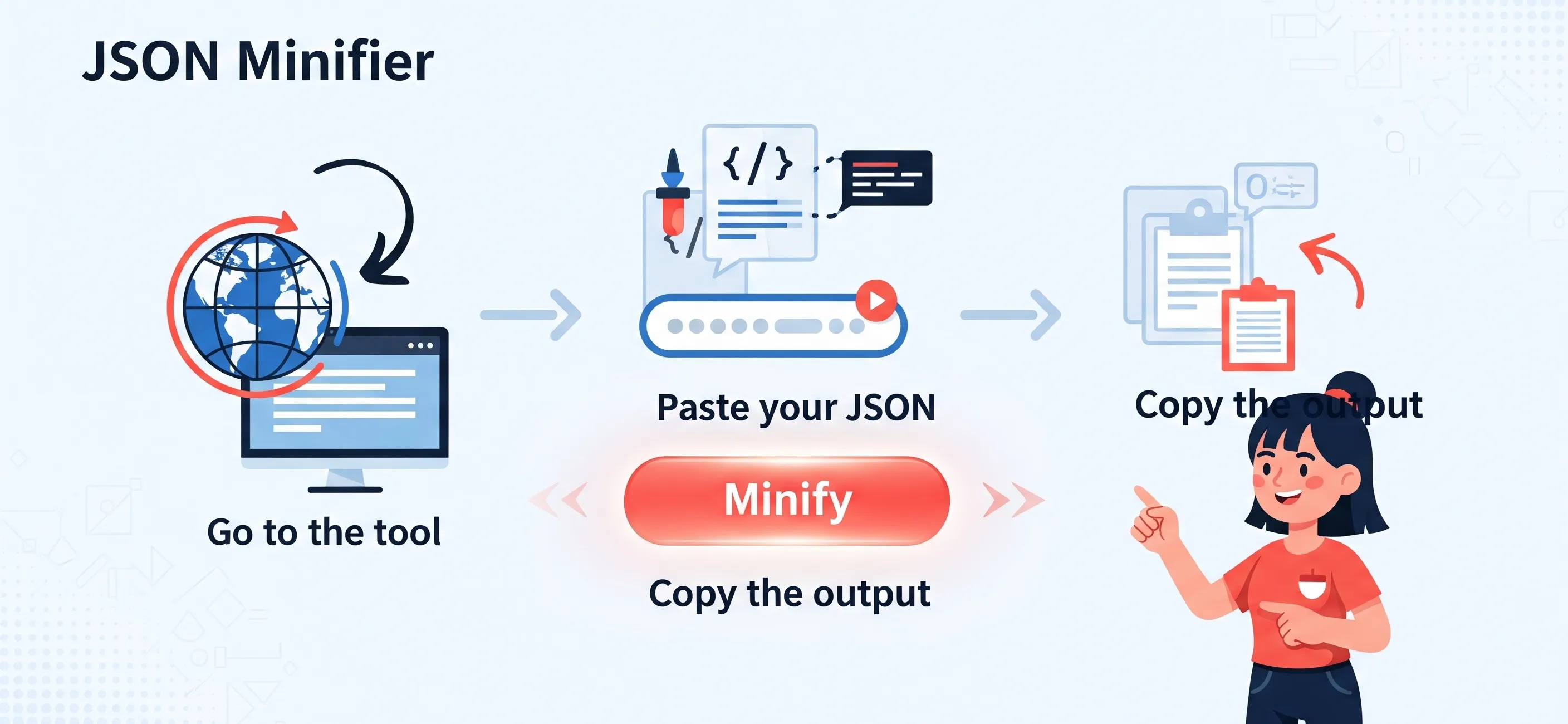
This quick process enables you to minify JSON in a matter of seconds, without coding or the need for any additional tools.
We would love to hear your feedback. Your review will help us continue improving.
Please Review Us
Minifying a JSON file simply means removing all unnecessary spaces, line breaks, and formatting from the JSON data, without compromising its data structure. This is very easy to accomplish using an online JSON minifier tool like CodingIndiaLab. Simply paste or copy your JSON into the tool and press “minify” to instantly get a compressed version. Or if you’re working with a text editor or an IDE like Visual Studio Code, there are commands and extension tools that can minify JSON just as quickly. Minification reduces file size and improves data transfer.
The purpose of providing JSON/XML is that they are needed for front-end programming, and they are extremely useful, easy to read, and clear. One of its biggest drawbacks is that it doesn’t have comment support, which can make it difficult to handle or present tricky configurations in the file. JSON also does not have data types such as dates or functions, which must be represented as a string and then parsed separately. JSON supports neither cyclic structures nor complex graphs of objects, which limits it to expressing certain data structures. Large JSON files can also be inefficient due to their detailed nature, resulting in higher memory and processing time usage.
A JSON file can be compressed in several ways. The easiest way is to minify it by removing all spaces, tabs, and line breaks. An online tool such as CodingIndiaLab's JSON Minifier can be used for this. Another technique is to remove any extra or unnecessary fields from the data. As far as possible, use short key names and do not use very deeply nested structures, which will increase the size. Where the JSON data is very large, you can also consider compressing the file with GZIP before sending or storing it, which can significantly reduce its overall size.
To minify JSON in Visual Studio Code, you can either use the native functionality or install useful extensions. You can either select your JSON and use the native functionality by pressing Shift + Alt + F to format it, or manually remove spaces if you don't have extensions. To perform minification more explicitly, install an add-on such as "Make JSON Pretty" or "JSON Tools". Such add-ons usually provide commands such as "Minify JSON" or "Collapse JSON", which can be invoked via the Command Palette (Ctrl + Shift + P). Simply copy your JSON, execute the minification command, and the tool will automatically minify your JSON into one line.

Your Rating : Good!