Add Your Website URL or Paste
A sitemap is a page or file that contains complete information about a website in URL format. It tells how many pages are there on the website. It helps search engines and users a lot in understanding the layout and content of the website.
There are two main types of sitemaps: XML sitemap and HTML sitemap.
XML sitemap: An XML sitemap is mainly for search engines. It lists what is present on the website and helps search engines to find and index it. It includes text about each page, its title, last update or how many times it has been changed. All these details are in an XML sitemap. It helps search engines a lot in finding and ranking your page correctly.
HTML sitemap: The main purpose of an HTML sitemap is to provide a user-friendly, navigable structure with an overview of the site, making it easier for visitors to find or access the website.
Sitemap is very important for any website. Sitemap plays a very important role for any website. Sitemap helps a lot in giving information about your website to users and search engines. Sitemap is a kind of map in which you add all the pages of your website and its information to the sitemap, which makes it very easy for search engines to find the page of your website so that it can easily index your page.
Search Engine Indexing: Through sitemap, search engines can easily find and index the pages of your website.
Website Structure: Sitemap gives complete information about your website to search engines which helps search engines to rank and index your pages. pages.
User Experience: Sitemap is very helpful for users to find or access your important pages.
Information about updates: If you make any new update in your website, add a new page or make any changes in it, then the sitemap helps a lot in giving this information to the search engines.
To create a visual sitemap of your website, you can visit our online tool. Once you are online, you can enter the URL of your website in our tool. After pasting, as soon as you click on the "Generate" button, your sitemap will start getting generated. Once it is completed, you can see the list of your sitemaps and can also download your website's sitemap in XML file.
By looking at the steps given below, you can easily create a sitemap for your website using the sitemap tool.
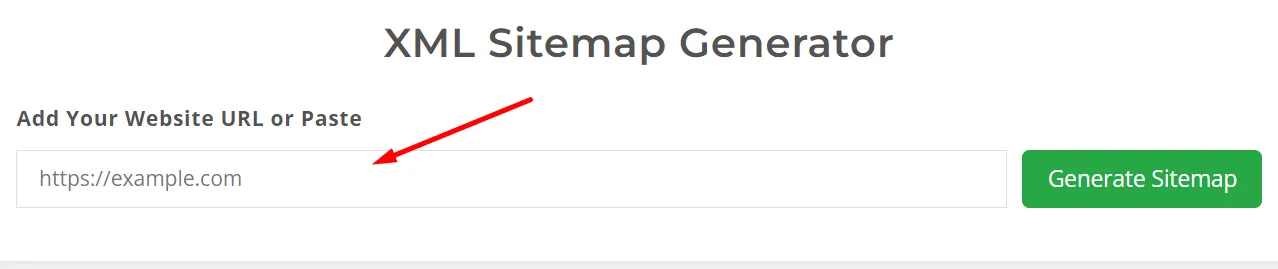
Copy your website url or type in the field and click on it to generate Sitemap button.
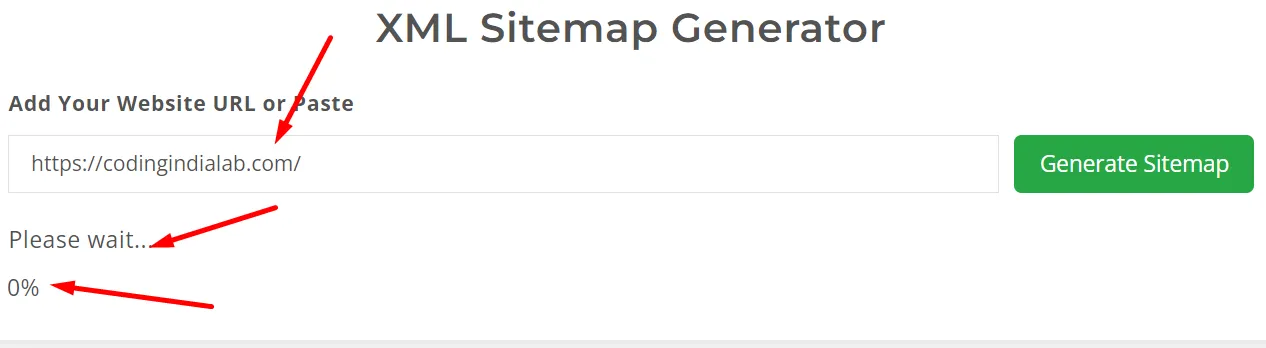
After clicking on the button your sitemap will start working as you can see in the screenshot.
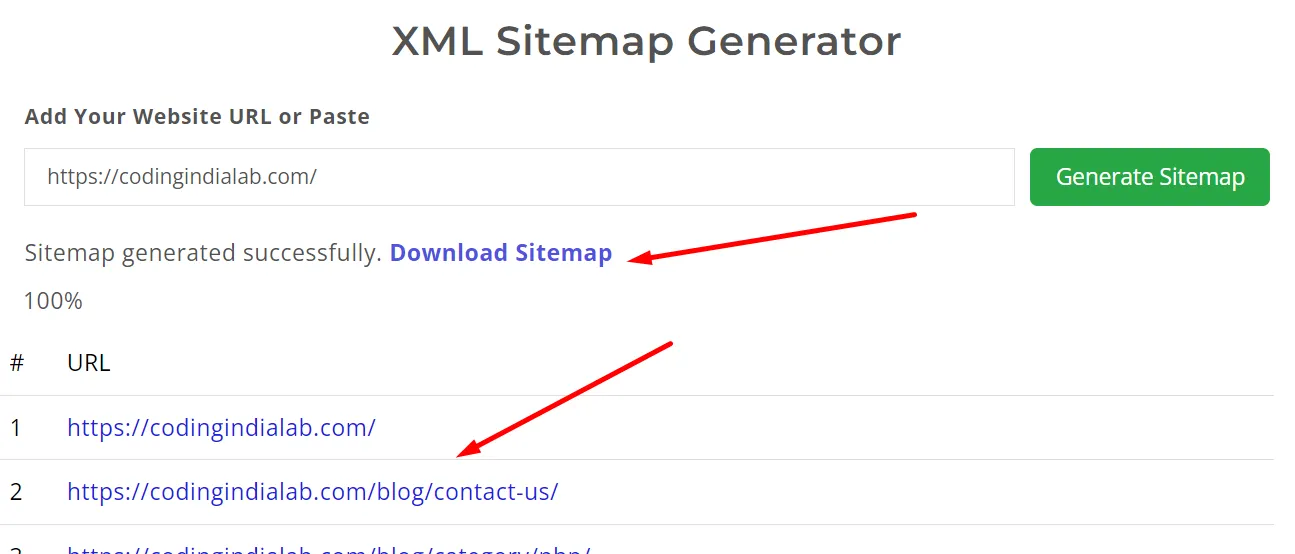
When the sitemap is completely created, you will see a list of your website below in the format below that how many URLs are there in your website and you can also download this file in an XML file as shown in the screenshot.
We would love to hear your feedback. Your review will help us continue improving.
Please Review Us

Your Rating : Good!